Showing posts with label Facebook. Show all posts

28 May 2012

Almost 1.5 Million Likes!

Stardoll now almost has 1.5 million likes on Facebook.
That mean we soon will get a new free gift from the Like-O-Meter!

- Like-O-Meter -
25 April 2012

MAWI on Facebook!

Like Stardoll did with the latest LE Decor collection, putting up some items on Facebook for us to buy, they have done the same thing with the MAWI store. There's seven pieces that you can buy with Facebook Credits (virtual money that you buy for real money, just like stardollars).
Just click on the message in your inbox on Stardoll or on the Store tab, in the Stardoll app, on Facebook.

6 April 2012

Free Facebook Like-O-Meter Glasses

Go to Stardolls "Free Gifts!" page on Facebook or click HERE.

Sign in to Facebook.


Click on "Accept this gift".

The gift will be in a Facebook shopping bag in your suite.

1 March 2012

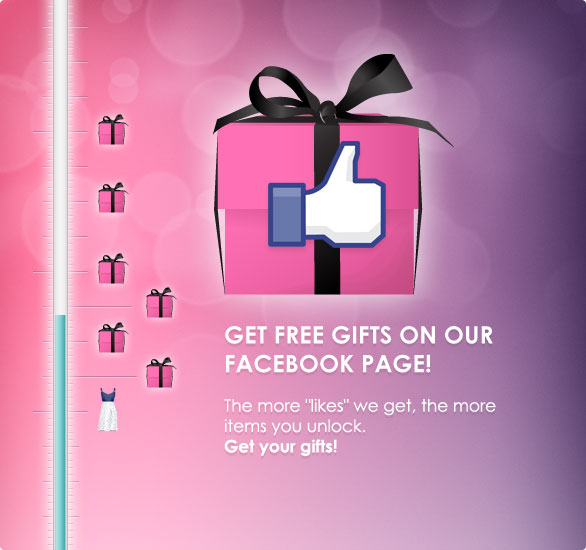
Facebook Like-O-Meter!

"Like" Stardoll on Facebook to get free gifts!
The more likes there are, the more items are unlocked. Click on the little button next to the gift to send it to your suite. Gifts will be sent out in a special shopping bag.


- Stardolls Facebook Page | Gift Page -

Facebook Rewards!

If you have connected your Stardoll account to Facebook you can earn up to 5 stardollars by signing in for five days in a row!

13 September 2011

Glitch?

If you got the Stardoll Facebook gift "Heart Print Scarf" you might have noticed that it has changed into a clutch? I haven't seen the clutch either among the Facebook gifts or
in the spoilers so I don't know where it came from.

Anyway, I don't mind getting an Alexander McQueen inspired clutch :P
Real version: Alexander McQueen Skull Box Clutch

7 September 2011

Send Free Gifts On Facebook

Go to: Facebook.com

Log in to Facebook or creat an account if you don't have one.

If you haven't done it yet, connect your Stardoll account with your Facebook account HERE.

Then go to the Stardoll Facebook App and log in to your Stardoll account.

Click on Gifts.

Pick a gift, click on Send and choose a friend to send it to,
(she/he must have both Facebook and Stardoll).

Then she/he must log in to Facebook and accept your Stardoll Notification.

The gift will be in a gift box in your friends suite.

P.S. It looks like you only can send one gift to the same person, so choose wisely.

23 June 2011

Stardoll on Facebook

Yepp the two clues Stardoll posted on Twitter was about Stardolls new app. on Facebook. Mainly it's the same but just with a more limited options then the regular Stardoll.
Do you think you will log in to Stardoll on Facebook often? I don't think I will...
xoxo
Hermine_1990